



You load the dishwasher, add a tablet, close the door and press start, but nothing happens. A small key or padlock symbol is lit on the display, and none of the buttons respond. Do not worry. In most cases, the dishwasher is not broken. The child lock (also called the control lock) has been switched on.
This guide explains what the child lock does, how to tell it is on, how to turn it off, why it might keep coming back and when to call an engineer.
The child lock is a safety feature that makes the control buttons ignore your presses. A key or padlock symbol, or the letters “CL”, usually shows when it is on. To turn it off, press and hold the button or buttons marked with the lock symbol, often for about three seconds. The exact buttons vary by brand and model, so check your manual. If the lock keeps coming back, or the buttons stay dead, the control panel may have a fault.
What is the Dishwasher Child Lock?
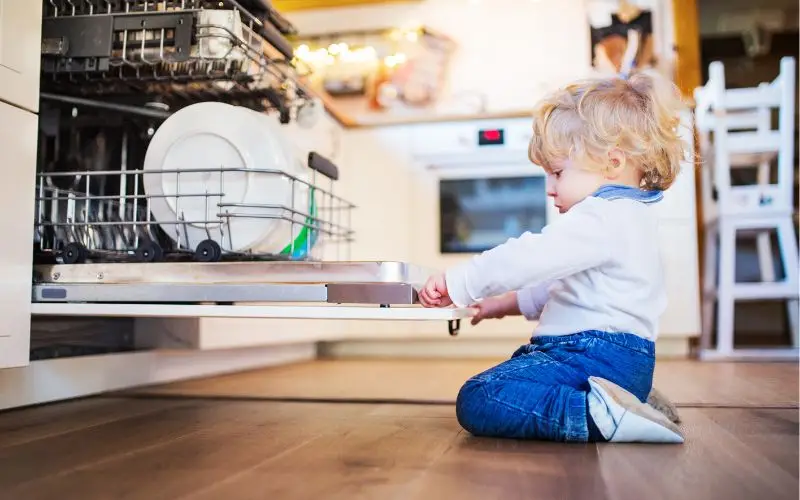
The child lock is an electronic safety feature. When it is on, the control board ignores presses on the buttons or the touch panel. It stops young children from changing the settings or stopping a cycle halfway through, and it stops adults from pressing buttons by accident.
On most dishwashers, the child lock locks the controls but does not physically lock the door. The door is held shut by a separate mechanical latch and a door switch, which keep it closed during the wash. If your door will not open or close, the cause is more likely a worn latch, a broken hinge or a faulty door switch than the child lock. Check your manual, because some models work slightly differently.
How Can You Tell the Child Lock Is On?
The signs are easy to spot.
- The buttons do not respond when you press them.
- A key or padlock symbol is lit on the display.
- The letters “CL” appear on the screen, which is common on several brands.
- The machine beeps when you press a button, but nothing changes.
- You cannot change the program or the delay timer.
If you see these signs, your dishwasher is likely to be fine. You just need to switch off the lock.
How to Turn Off the Dishwasher Child Lock
The method is quick, but the exact buttons depend on your dishwasher. Follow these steps.
First, look at the control panel for a key or padlock symbol. It is often printed beside a button, or printed between two buttons. Second, press and hold that button, or both of the buttons shown, for about three to five seconds. Third, wait for a beep or for the symbol or “CL” to disappear from the display. Then try the buttons again.
If you cannot find the symbol, or the lock does not release, check your manual for the model-specific instructions. The manual is usually available online if you search for your dishwasher’s model number, which is on a sticker inside the door or on the edge of the door.
Safety warning: Never open the control panel or try to repair the electronics yourself. Dishwashers have mains electricity and water in the same place, and this is dangerous. Always leave internal work to a trained engineer.
Other Reasons a Dishwasher Will Not Start
If the lock is off but the dishwasher still does not start, check these simple things before you call for help. Make sure the door is shut fully and the latch clicks. Check that the machine has power, and that the plug is in and the socket is on. Check that the water tap is open. Make sure a delay start has not been set, and that a program has been selected. A tripped fuse can also stop the machine. If your dishwasher starts but leaves water in the bottom, our guide on why your dishwasher is leaving water at the bottom explains the common causes.
Why Does the Child Lock Keep Turning On?
If the lock switches on by itself, or the buttons stay dead after you turn it off, there are a few possible reasons.
Moisture or steam. Kitchens are humid, and steam can get into the control panel behind the door. Moisture can make the panel behave strangely, and in some cases, it can trigger the lock or stop the buttons working.
A dirty or faulty touch panel. Touch controls can react to grease, dirt or water on the surface. If the panel thinks a finger is pressing it all the time, it can lock or behave oddly. Wipe the panel gently with a dry or slightly damp microfibre cloth with the machine switched off at the wall.
Stuck buttons. On some models, food residue or wear can make a button stick, and the control board may keep switching the lock on.
A control board fault. The control board is the “brain” of the dishwasher, and it controls the heater, water valve and drain pump. If it develops a fault, it can lock the controls or stop them responding. This needs a trained engineer to diagnose and repair.
A simple reset can sometimes help. Switch the dishwasher off at the wall socket, wait about ten minutes and switch it back on. If the lock or the dead buttons come back, the panel or the board may need repairing.
When Should You Call an Engineer?
Call an engineer if the lock keeps coming back, or the buttons stay dead after you turn it off and try a reset. The same goes if the display shows an error code that does not clear, if there is water or steam damage behind the panel, if the dishwasher trips your fuse box or if you smell burning.
An engineer can test the touch panel and the control board, replace faulty parts safely and check the door latch and the door switch.
Frequently Asked Questions
Does the child lock stop a wash that is already running?
No. If a cycle is already running, the wash continues. The lock only stops the buttons from changing the settings.
Can I turn off the child lock permanently?
That depends on your model. On many dishwashers, the lock stays off until you switch it on again, but some models have a setting that locks the controls automatically. Check your manual for the exact behaviour.
What if the screen shows “CL” and the buttons do nothing?
Switch the dishwasher off at the wall socket for about ten minutes, and switch it on again. If “CL” is still lit, or the buttons still do nothing, the control panel may need checking.
Is the child lock the same as the door lock?
Usually, no. The child lock stops the buttons from working. The door latch is a separate mechanical part that keeps the door shut during the wash.
Need Help With a Dishwasher That Will Not Respond?
If your dishwasher still will not start, the buttons will not respond or the lock keeps coming back, our trained and insured engineers can help across all London boroughs. We repair all major brands, including Bosch, Samsung, Beko, Hotpoint and Indesit, with a guarantee on parts and labour. We can check the control panel, the control board, the heater and the drain pump.
If the simple steps have not worked, book a visit for Dishwasher Repair in London and get honest advice and clear pricing. Contact London Appliance Repair now.