



You start a cycle, and a few minutes later your washer dryer beeps and shows a filter icon or an error code. The machine may stop, run slowly, or refuse to start the drying stage.
In most cases this warning is the machine telling you that airflow or drainage is restricted somewhere. It is often a simple fix you can do yourself. Sometimes, though, it points to a fault that needs a qualified engineer.
This guide explains what the warning means, the common causes, how to clear it safely, and when to stop and get help.
What Does the Filter Warning Mean?
A washer dryer has more than one filter, and the warning can point to any of them:
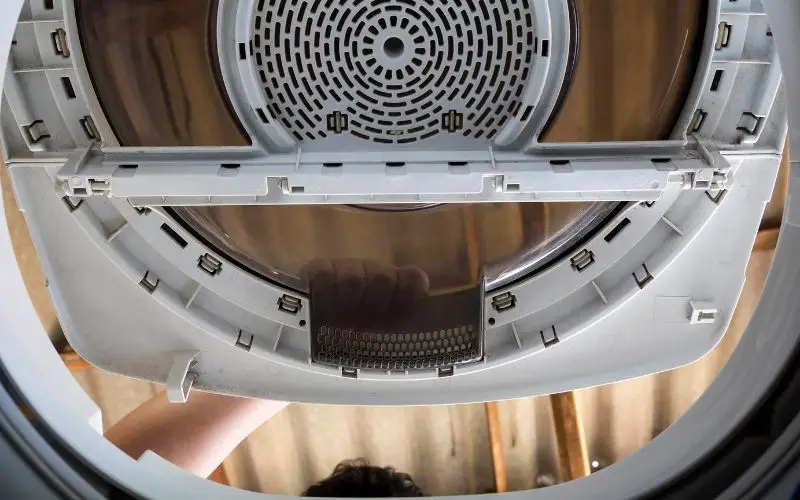
- Lint filter: catches fluff during drying so it does not clog the airflow.
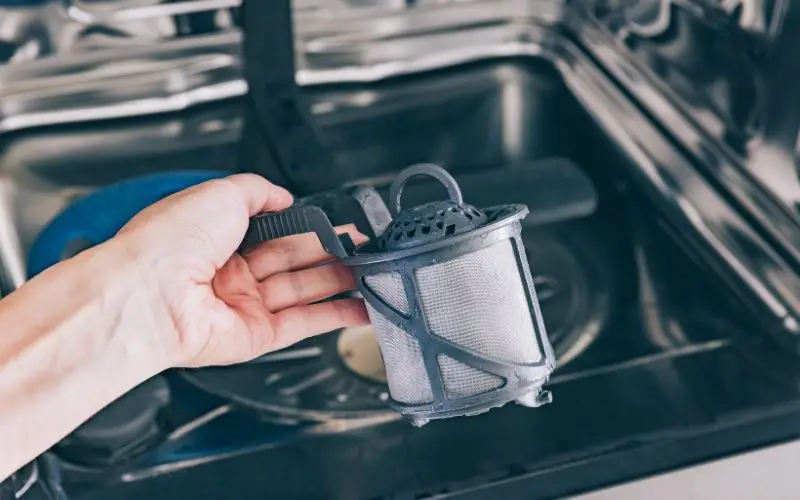
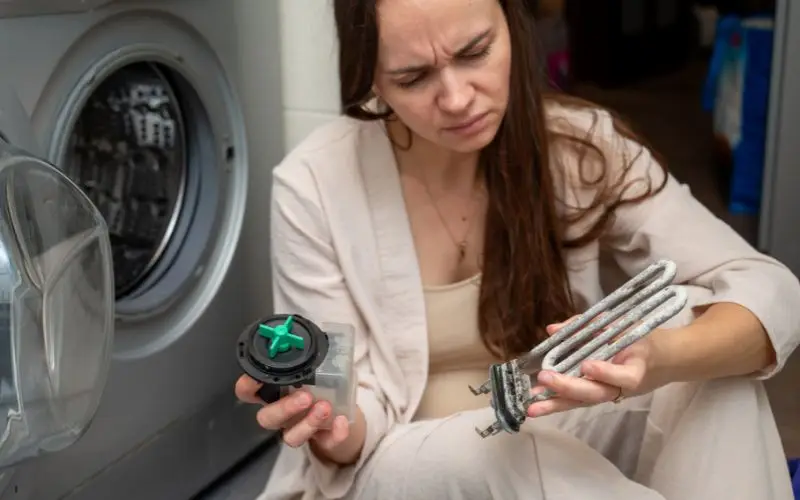
- Drain pump filter: catches coins, hair, buttons and lint during washing so they do not reach the pump.
- Condenser area: on condenser washer dryers, damp air is cooled here so the moisture turns into water.
The machine monitors airflow and drainage. If it detects a restriction, it shows the warning to protect the pump, motor and heater from damage. The symbol and error code differ between brands such as Bosch, Beko, Hotpoint, Indesit, Samsung and LG, so your manual is the best guide for your model.
Common Causes
A clogged lint filter. This is the most common cause. Fine fluff, especially from towels and bedding, blocks the mesh, so air cannot flow and clothes dry slowly.
A blocked drain pump filter. If the warning appears during washing or draining, the pump filter may be full of hair, lint or small objects. You may also find water left in the drum.
A dirty condenser. Fluff that gets past the lint filter settles in the condenser and blocks the airflow. If you have a standalone dryer, our guide on how to clean a tumble dryer condenser properly shows the full process, and the same principle applies to many washer dryers. Check your manual first, as some washer dryers do not have a removable condenser.
A kinked or blocked drain hose. If water cannot leave the machine, it may flag a filter or drainage problem.
Too much detergent or an overloaded drum. Excess suds leave residue in the filter and pump area, and a full drum restricts airflow.
A faulty sensor or control board. If every filter is clean and the warning keeps returning, the machine may be giving a false reading, and it needs proper diagnosis.
How to Fix It, Step by Step
Step 1: Switch Off and Unplug
Switch the machine off at the wall socket and unplug it, holding the plug itself, not the cable. If it has just finished drying, wait until the drum, door and any water inside have cooled.
Step 2: Clean the Lint Filter
- Open the door and pull out the lint filter.
- Remove the fluff by hand.
- Rinse the filter under lukewarm running water to clear the fine residue that blocks the mesh. Do not use boiling water.
- Let it dry fully, then push it back firmly.
Do this after every drying cycle, and most filter warnings will never appear.
Step 3: Clean the Drain Pump Filter
- Find the small panel at the bottom front of the machine and open it.
- Put a shallow tray and a towel on the floor, because water will come out. Some machines have a small emergency drain tube that you should use first.
- Slowly unscrew the filter and let the water drain.
- Remove any hair, lint or objects, and rinse the filter.
- Screw it back in tightly, or it may leak.
If the pump filter is clear but water still stays in the drum, the problem may be with the pump or the hose. Our washing machine repair page explains what an engineer checks in that case.
Step 4: Check the Drain Hose
If you can move the machine safely, check that the hose behind it is not kinked, crushed or pushed too far into the standpipe. Straighten it if needed.
Step 5: Run a Short Test Cycle
Plug the machine in and run a short cycle. If the warning has gone, a blocked filter was the cause. If it comes back, stop using the machine and have it checked.
How Often Should You Clean the Filters?
- Lint filter: after every drying cycle.
- Drain pump filter: every two to three months, or monthly if you wash pet bedding, towels or lots of fleece.
- Detergent: use the amount recommended for your load and water hardness. In London’s hard water areas, limescale can build up over time, so an occasional descaling cycle, if your manual allows it, helps.
Warning Signs You Should Not Ignore
Stop using the machine if you notice any of these:
- Clothes are still damp after a full drying cycle.
- The outside of the machine is very hot.
- There is a burning smell.
- Water is leaking.
- The warning comes back straight after cleaning.
If you smell burning: stop the cycle, switch the machine off at the wall socket, keep the door closed and do not restart it. If you see smoke or flames, leave the room and call 999.
When to Call an Engineer
Cleaning filters is normal maintenance. Anything beyond that should be left to a qualified engineer, because washer dryers combine water, electricity and heat. Call one if:
- the pump makes a grinding or humming noise.
- the machine trips your fuse box.
- water will not drain even though the filters are clear.
- the drum does not turn.
- the machine runs but clothes stay damp. This can point to a heating fault, and our guide on why a tumble dryer is not heating explains the common causes.
Internal parts and wiring should only be handled by a trained engineer.
Frequently Asked Questions
Is it safe to keep using the machine with a filter warning?
It is best not to. A blocked machine can overheat and put extra strain on the pump and motor. Clean the filters first.
Why does the warning show even though the filter looks clean?
Fine lint can clog the mesh without being easy to see. Rinsing the filter under water usually clears it. If the warning stays, check the hose and condenser, or have the sensor tested.
Can a blocked filter increase my energy bill?
Yes. Restricted airflow makes the machine run longer to dry the same load, which uses more electricity.
Can I use the machine without the filter?
No. Without it, fluff and debris can reach the pump, heater and condenser and cause damage.
Does every filter warning need an engineer?
No. Most are fixed by cleaning. If the warning keeps returning, a professional check is worth it.
Still Seeing the Warning After Cleaning?
If you have cleaned both filters, checked the hose and the warning is still there, a part such as the pump, a sensor or the control board may be faulty. Book a visit for washer dryer repair in London, and an engineer will diagnose the fault and explain the options before any work begins.